Video to Sprite Sheet Converter
Drop in a video clip and get back a grid sprite sheet PNG. This reads the frames your browser actually decodes and presents — not a guessed frame rate — so the sheet matches what the clip really contains. Free, runs entirely in your browser — files never leave your machine.
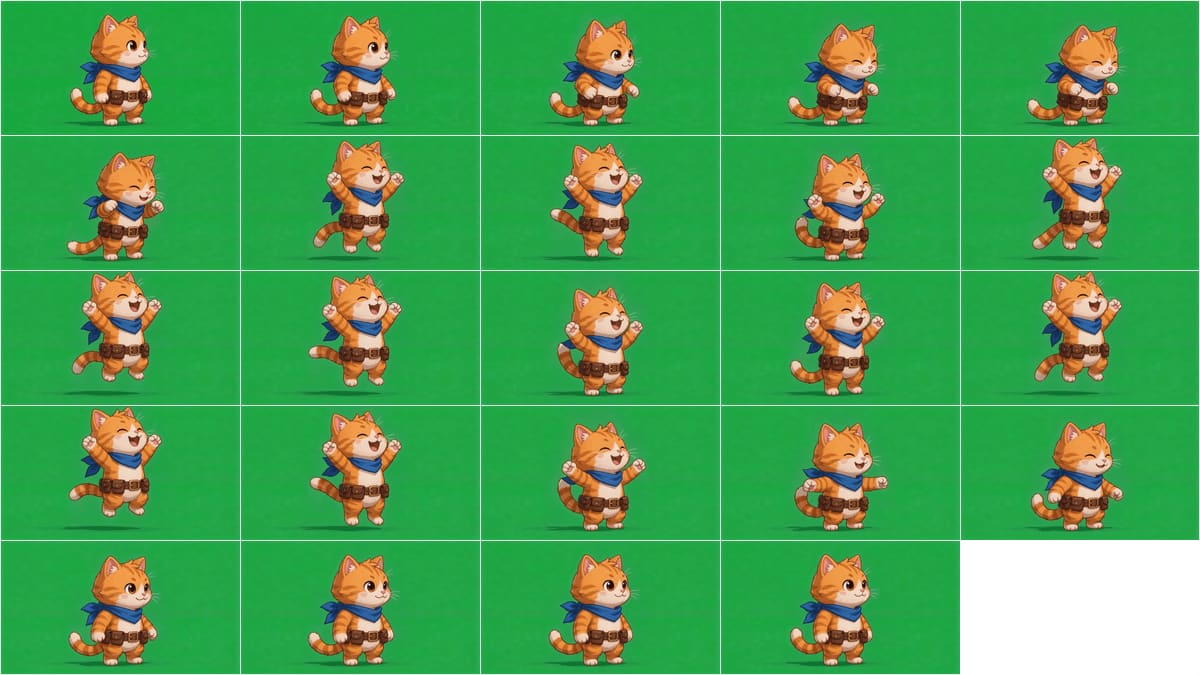
cat_victory_attempt1: 121 frames decoded, 67 of them genuinely different. In unique-frames mode capped at 24 the tool packed a 5×5 sheet (one empty cell at the end); shown here scaled down. Frames go in exactly as decoded — key the backdrop first if you want transparency.Drop a video here or
MP4 / WebM / MOV · a few seconds
How it works
- Your browser decodes the video and captures each presented frame via
requestVideoFrameCallback— the same real-time cadence a viewer sees, not a timer-based guess. - Every frame is compared against the one before it on a downscaled, box-averaged copy; frames with fewer than ~12 changed pixels are flagged as exact duplicates.
- By default only unique frames go into the sheet — pick “every Nth frame” instead if you want literal sampling regardless of duplicates.
- The remaining frames are packed into a grid, left to right, top to bottom, at your chosen column count.
- Download the sheet as a single PNG.
Why “unique frames only” matters
AI video generators and frame-interpolators frequently render at a lower real frame rate than the file container claims — a 24 fps animation gets saved into a 60 fps file, so every frame is duplicated two or three times over. Packing every raw frame into a sheet wastes rows on pixel-identical repeats and pads out the sheet for no extra motion. This tool measures duplication directly from the decoded pixels (not the file’s metadata, which can’t be trusted) so the default sheet only pays for frames that actually differ.
Frequently asked questions
Does this upload my video anywhere?
No. Decoding, frame capture, duplicate detection and sheet packing all run in your browser using the Canvas and Video APIs. Nothing is sent to a server.
What counts as a “duplicate” frame?
Two consecutive frames are compared on a downscaled, box-averaged copy; if fewer than about 12 pixels changed by more than a small threshold, the later frame is treated as a repeat of the earlier one. This catches exact and near-exact repeats, not frames that are merely similar.
Why is my sheet smaller than the number of frames in the video?
By default the tool drops exact duplicate frames before packing, since a padded-cadence video (e.g. 24 fps of real animation delivered in a 60 fps file) repeats most frames two or three times. Switch to “every Nth frame” if you want every raw frame regardless.
Can I control the grid layout?
Yes — set the column count directly; the row count is computed to fit. The default is the smallest roughly-square grid for the number of frames you’re including.
Does this remove the background?
No — this tool only captures and packs frames. If you need the backdrop keyed out first, use the green screen remover and then bring the transparent frames back through this tool, or use Sprite Studio for the combined workflow.